

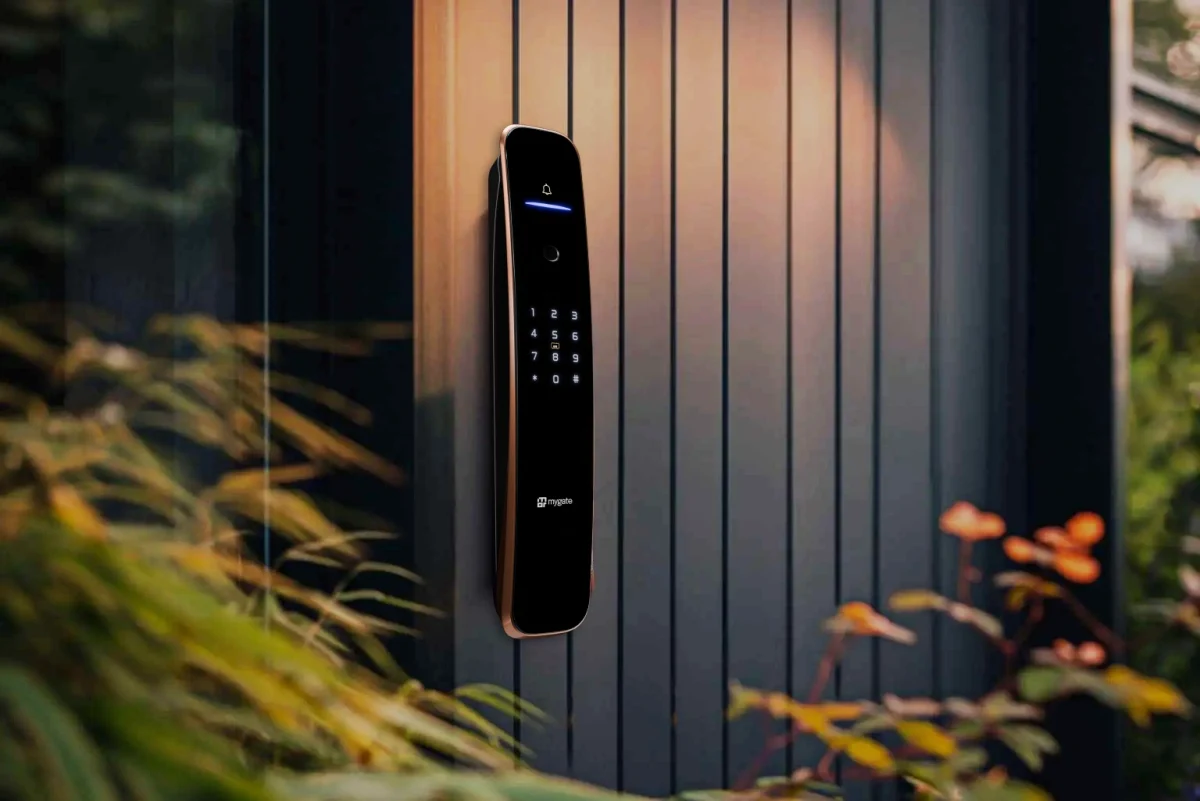
If you have been scrolling through smart locks on marketplaces, you have probably noticed the pattern. Big pictures. Words like “digital”, “smart”, “fingerprint”. A tempting price. Then, in between those listings, you see Mygate locks with products Lock SE, Lock Plus, Pro 2.0, Pro 2.0 Ultra and Lock Edge.
On paper, everything looks similar. In real life, they are very different. Here are seven reasons Mygate usually wins against generic digital door locks in Indian homes.
1. A proper lineup instead of one generic model
Many no-name or generic brands sell one main design and dress it up as different products. Change the colour, tweak the listing, repeat.
Mygate’s lineup is structured:
- Lock SE for people who want full smart entry on standard wooden doors, with six ways to unlock
- Lock Plus for those who want stronger hardware and three deadbolts on the main door
- Lock Pro 2.0 for people who want real-time door status and more control, via a built in door sensor
- Lock Pro 2.0 Ultra for buyers who want face unlock, rechargeable battery and every advanced feature
- Lock Edge for doors that are harder to handle, like thinner or metal doors where normal mortise locks do not fit well
This means you can match a model to your situation instead of hoping a generic lock will somehow work on your door and lifestyle.
2. Six main unlock methods that actually get used
Most generic digital locks stop at two unlock methods: PIN and maybe fingerprint. That forces you to share the same PIN with multiple people.
Across Mygate’s main SKUs (SE, Plus, Pro 2.0, Ultra and Edge), you get:
- Fingerprint
- PIN
- OTP
- RFID card
- Mygate app
- Manual key
Ultra adds face unlock and remote unlock as well.
This matters because a home is not one user. A parent might like fingerprint, a grandparent might prefer PIN or card, children usually enjoy fingerprints, staff can use PIN or card, and guests can use OTP. You pick who uses what, instead of bending everyone into one mode.
3. Better access management, not just “no keys”
A generic digital lock usually treats itself like an electronic key. You set a PIN and then forget about it. When people change, it becomes a headache.
Mygate locks treat access as something you manage:
- You can add and remove users with their own fingerprints, PINs and cards
- You can share OTPs for one-time or recurring entry
- You can set recurring time windows for staff on compatible models
- You can view activity logs in the app when you need to
This turns the lock into a tool you can adjust easily when a maid leaves, a tenant moves out, or a new family member arrives. You do not need to change the entire lock or live with old codes that too many people know.
4. Real security features, not just marketing words
Every smart lock says “secure”. The difference shows up in real features.
On models like Lock Plus, Pro 2.0 and Ultra, you see:
- Three strong deadbolts on the main door
- Tamper alarms if someone meddles with the lock
- Auto-lock behaviour and child lock controls
- Auto-freeze on Ultra after too many wrong attempts
- Door open/close status and “door left open” alerts on Pro 2.0 and Ultra (with gateway and sensor)
Generic locks may claim similar things, but often skip details like door status, proper deadbolt configuration, or a clear alert system tied to an app. Mygate feels a lot more complete on this front.
5. Designed to actually fit Indian doors
Compatibility is one of the biggest hidden problems with cheap digital locks. You only find out there is an issue when the installer starts drilling and adjusting.
Mygate is upfront about door specs:
- Lock SE: for single wooden doors around 30–65 mm thick
- Lock Plus: for wooden doors roughly 34–65 mm thick, with a larger body and more deadbolts
- Pro 2.0 and Ultra: for wooden main doors around 34–65 mm thick, with tall, premium panels
- Lock Edge: for wooden and compatible metal doors around 32–65 mm thick, where you might need some metal fabrication
Instead of “fits most doors”, you get a much clearer picture. On top of that, Mygate sends trained installers who know these locks well. This greatly reduces the risk of a misfit door and a messy installation, which is common with “just pick any carpenter” setups that come with generic locks.
6. One app and ecosystem that stays with you
With a generic lock, the story usually ends once you buy and install it. Apps might be clunky, updates rare and support uncertain.
Mygate gives you:
- The Smart Devices app as a central place to manage all its locks
- The WiFi gateway if you want remote unlock and alerts
- Door sensors with Pro 2.0 and Ultra for real-time door status
- Consistent behaviour across SE, Plus, Pro 2.0, Ultra and Edge
You learn one app, one way of thinking about access, and it works across the range. If you add another Mygate lock on a second door or upgrade later, you are not starting from scratch. That is a big difference compared to random brands where every model feels like a separate world.
7. Long-term support and structure, not a one-off purchase
Finally, there is the question of what happens in year two and three.
Mygate backs its locks with:
- Free installation
- Multi-year on-site warranty for repairs and replacements
- Long-term service coverage
- A proper help centre with compatibility, warranty, returns, delivery and payment information
Combined with the clear SKU positioning and ecosystem, this makes Mygate feel like a brand planning to be around for a long time, not a short-term import.
Generic digital door locks might look cheaper on day one, but once you factor in fit, features, access control, support and long-term use, the value shifts. For many Indian homes, Mygate ends up being the calmer, safer bet when it is time to put something on the main door and live with it every single day.