

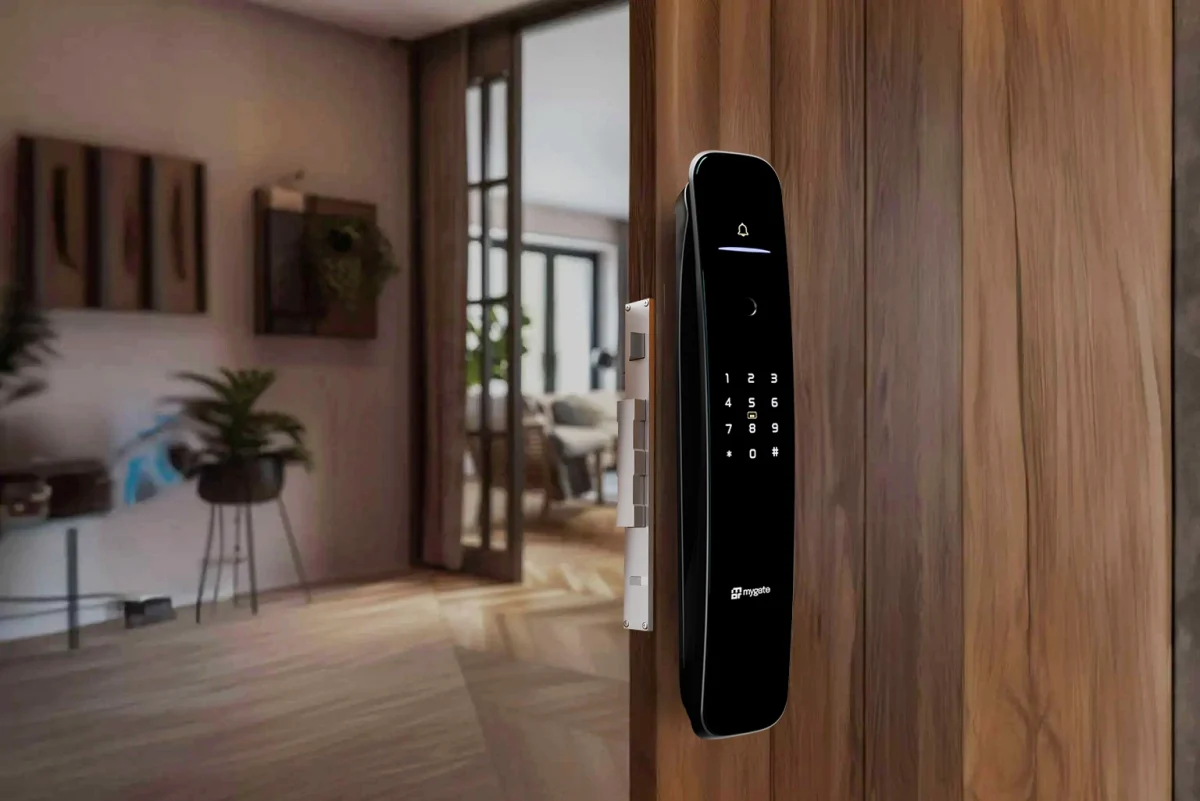
Smart locks have moved from a novelty gadget to a mainstream fixture in Indian homes and apartment complexes over the last few years. Walk through most new residential developments today and you will find fingerprint locks on front doors, app-controlled deadbolts in gated communities, and keypad entries replacing traditional keys altogether. With that shift comes a question almost every homeowner eventually asks before switching over: are these locks actually safe, or are we trading the familiar risk of a lost key for a less familiar risk of a hacked door?
It is a fair question, and the honest answer is that it depends heavily on the specific lock, how it is installed, and how it is used day to day. This guide breaks down how smart locks actually work, what genuine security risks exist, how manufacturers address them, and how to make a sound decision whether you are securing a single apartment door or thinking about smart access at the level of an entire housing society.
How do smart locks actually work?
At a basic level, a smart lock replaces or supplements the mechanical process of turning a key with an electronic authentication step, a PIN code, a fingerprint scan, a smartphone app command, or a physical access card, that then triggers a motor to retract or extend the locking bolt. Most residential smart locks fall into a few broad categories.
Retrofit smart locks attach to an existing deadbolt, essentially automating the turning motion so residents can unlock the door via an app or keypad while the original mechanical lock cylinder remains underneath as a backup.
Full replacement smart locks swap out the entire lock mechanism, offering more integrated features like biometric scanning, built-in keypads, and sometimes video or intercom functionality, but leaving less of the original mechanical backup in place unless specifically designed to include one.
Access control systems, more common in the shared entry points of housing societies, such as the main gate or lobby, typically use RFID cards, QR codes, or app-based credentials tied to a central management system rather than individual door hardware.
Most smart locks communicate over Bluetooth, Wi-Fi, or a mix of both, connecting either directly to a smartphone app in range or through a home hub that also allows remote access when you are away from the property.
What actually makes a lock smart, and where the risk comes from?
The convenience of a smart lock, unlocking your door remotely, granting temporary access to a guest without handing over a physical key, seeing a log of who entered and when, comes from the same feature that introduces new risk: connectivity. A traditional mechanical lock can only be defeated through physical means, picking, bumping, or brute force. A smart lock adds a second attack surface entirely, the software and communication layer, which means its safety depends not just on the quality of its physical hardware but on how well its electronics and app ecosystem are secured.
This is the central tradeoff worth understanding clearly. A well-designed smart lock from a reputable manufacturer, with strong encryption, regular firmware updates, and a properly secured companion app, can be genuinely more secure than a basic mechanical lock, since it eliminates the risk of lock picking or unauthorised key duplication entirely. A poorly designed smart lock, on the other hand, particularly cheap, unbranded devices with weak or outdated security protocols, can introduce vulnerabilities that a simple mechanical lock never had in the first place.
Common concerns about smart lock safety, addressed directly
Can smart locks be hacked remotely?
This is the concern that comes up most often, and it deserves a direct, honest answer. Yes, poorly secured smart locks can theoretically be hacked, particularly if they use outdated Bluetooth protocols, weak encryption, or have known, unpatched software vulnerabilities. However, reputable smart lock manufacturers use strong encryption standards, similar to what protects online banking transactions, and most attacks documented in security research have targeted specific vulnerabilities in particular models or older firmware versions, not smart locks as a category universally.
The practical takeaway is that the manufacturer and model matter enormously here. Established brands that regularly release firmware updates and have undergone independent security audits present a fundamentally lower risk profile than unbranded, budget devices with no clear update history.
What happens if the battery dies?
This is one of the most common practical concerns, and legitimate smart locks are generally designed with this scenario in mind. Most residential smart locks provide low-battery warnings well in advance through the app, and many include a physical key override or an external power port, often a 9-volt battery contact point, that lets you power the lock temporarily to get in even if the internal battery is fully depleted. A smart lock without any backup mechanism for battery failure is a meaningful design weakness worth avoiding when choosing a product.
Can someone bypass a smart lock physically, the same way they might pick a traditional lock?
Smart locks are not immune to physical attack methods. Some models, particularly cheaper ones, have been shown to be vulnerable to techniques like bump keys if they retain a traditional cylinder, or to simple mechanical bypass if the internal motor mechanism is poorly designed. Higher-quality smart locks address this with reinforced bolt mechanisms, anti-pick cylinders where a physical backup exists, and tamper detection that triggers an alert if someone attempts to force the lock.
Is my smart lock at risk if my home Wi-Fi is compromised?
This depends on the lock’s architecture. Locks that rely on Bluetooth for local unlocking and only use Wi-Fi or a hub for remote access features typically have a smaller exposure window, since an attacker would generally need to be in physical proximity to exploit a Bluetooth vulnerability. Locks that are always connected to the internet through Wi-Fi have a theoretically larger attack surface, which is why securing your home network itself, with a strong router password and updated firmware, is part of using a smart lock safely, not a separate concern.
What if someone gets into my smart lock app account?
This is genuinely one of the more significant risk areas, and it is also the one most within a user’s direct control. If your smart lock app account is protected by a weak, reused password, or if you fall for a phishing attempt that captures your login credentials, an attacker does not need to defeat any lock hardware at all, they simply log in and unlock the door remotely. This is why enabling two-factor authentication on the app account, using a strong unique password, and being cautious about phishing attempts matter just as much as the physical lock’s build quality.
What happens during a power outage?
For locks that rely on mains power or a connected hub for full functionality, a power outage can affect remote access features, though most locks are still operable locally via battery power, keypad, or fingerprint scan even without the hub or Wi-Fi active. It is worth confirming this specifically for any lock you are considering, since a lock that becomes fully inoperable during a power cut is a real inconvenience, and potentially a safety issue in an emergency.
Are smart locks safe from a fire safety and emergency egress perspective?
This is an important and sometimes overlooked consideration. In a fire or emergency situation, occupants need to be able to exit quickly without depending on app access, PIN entry under stress, or a functioning battery. Most well-designed residential smart locks allow the door to be opened from the inside with a simple manual turn or push, regardless of the electronic locking state, precisely for this reason. When choosing a smart lock, especially for a primary entry or exit door, confirming that emergency egress does not depend on the electronic system functioning correctly is a genuinely important safety check, not just a security one.
Are smart locks safer than traditional locks overall?
There is no single universal answer, since it depends on the specific comparison being made. Against a poor-quality traditional lock, a well-designed smart lock from a reputable brand is very likely safer, since it removes risks like key duplication by an untrustworthy service provider, lock picking, and the simple problem of lost or stolen physical keys that nobody remembers to account for.
Against a high-quality traditional lock installed correctly, a cheap or poorly secured smart lock can genuinely be a downgrade in security, introducing new digital vulnerabilities without necessarily improving on the physical ones.
The more useful framing is not smart locks versus traditional locks as categories, but rather good security design versus poor security design, which applies within both categories. A thoughtfully chosen smart lock, from a manufacturer with a track record of security updates, paired with sensible digital hygiene like strong passwords and two-factor authentication, tends to outperform most traditional lock setups in practice, particularly around the softer risks like unauthorised key copying that traditional locks handle poorly.
How to choose a genuinely safe smart lock?
Check for recognised security certifications and encryption standards. Reputable manufacturers are usually transparent about the encryption protocols they use and any independent security testing or certification the product has undergone.
Prioritise brands with a track record of firmware updates. A lock that has not received a security update in years, or a manufacturer with no clear update history, is a meaningful red flag regardless of how polished the product looks.
Confirm backup access mechanisms exist. A physical key override, a keypad backup, or an external power option for dead batteries should be non-negotiable features, not optional extras.
Verify emergency egress is not dependent on the electronic system. For any door serving as a primary exit, confirm the door can be opened manually from inside without needing power, an app, or a working battery.
Look for tamper detection and activity logs. A lock that alerts you to repeated failed access attempts or unusual activity gives you visibility a traditional lock simply cannot offer.
Secure the app account properly. Enable two-factor authentication where available, use a strong unique password, and be cautious of phishing attempts targeting your smart home app credentials, since this is often the weakest link regardless of how strong the lock hardware itself is.
Consider local support and service availability. A smart lock is a long-term piece of home infrastructure, and having access to local support for troubleshooting, replacement parts, or warranty service matters more than it might seem at the time of purchase.
Best practices for using smart locks safely, once installed
Keep the lock’s firmware updated whenever the manufacturer releases a new version, since these updates frequently patch newly discovered vulnerabilities. Change default PINs or passwords immediately after installation rather than leaving factory settings in place. Review the lock’s access log periodically, particularly if you share access with multiple people, household help, family members, or guests, to confirm the activity matches what you expect. Revoke temporary or guest access promptly once it is no longer needed, rather than leaving old credentials active indefinitely. And secure your home Wi-Fi network with a strong, unique password, since a smart lock connected to a poorly secured network inherits some of that network’s vulnerability.
Conclusion
Smart locks are not inherently unsafe, but they are also not automatically safer than a traditional lock simply because they are newer or more expensive. The real determining factor is quality of design and implementation, both on the manufacturer’s side, encryption, firmware update discipline, physical build quality, and backup mechanisms, and on the user’s side, strong account security, prompt firmware updates, and sensible access management.
For a single home, this means doing the homework before buying, choosing a reputable brand with a clear security track record, and treating the app account with the same seriousness as any other sensitive login. For a housing society considering smart access at shared entry points, the calculation extends further, since the safety of any individual lock matters less than the strength of the overall access and visitor management process surrounding it. A smart lock is one component of a security system, not the whole system, and treating it that way, backed by proper visitor verification, guard coordination, and real-time visibility into who is entering the property, is what actually keeps a home or a community safe.
Used thoughtfully, with the right product and the right supporting habits, smart locks genuinely can offer better security than the mechanical locks they are replacing. Used carelessly, with a cheap device and a reused password, they can introduce risks a traditional lock never had. The technology itself is not the deciding factor. How it is chosen, installed, and managed is.
Frequently Asked Questions
Can smart locks be hacked easily?
Reputable smart locks with strong encryption and regular firmware updates are difficult to hack remotely, and most documented vulnerabilities have been tied to specific models, weak protocols, or outdated firmware rather than smart locks as a category. Choosing an established brand with a clear security update history significantly reduces this risk.
What happens if a smart lock’s battery runs out while I am not home?
Most quality smart locks provide advanced low-battery warnings through the companion app and include a backup access method, either a physical key override or an external power contact point, so you are not locked out even if the battery fully depletes.
Are smart locks safe to use as a primary entry or exit door in an emergency?
Yes, provided the lock is designed so the door can be opened manually from the inside without depending on power, an app, or battery function, which is a standard safety feature in well-designed residential smart locks and worth confirming before installation.
Is it safer to use a smart lock or a traditional mechanical lock?
It depends more on the specific product and how it is used than on the category itself. A well-designed smart lock from a reputable brand, paired with strong digital security habits, often outperforms a traditional lock, particularly around risks like unauthorised key duplication, while a poorly made smart lock can introduce new vulnerabilities a traditional lock never had.
Do housing societies need to think about smart lock safety differently than individual homeowners?
Yes, because shared entry points affect the entire community’s security, not just one household. For societies, the safety of individual smart locks matters less in isolation than how well they integrate with the broader visitor management, guard verification, and access control processes already in place across the property.