

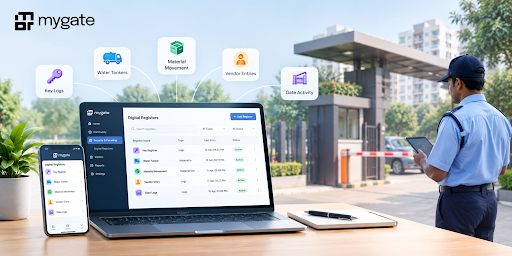
Physical registers used in gated communities are inconsistent, error-prone, and difficult to search, making audits slow and operations unreliable. Guards manually log key handovers, vendor visits, material movements, and other activities in a book, leading to incomplete and illegible records that are hard to track over time. To solve this, we are introducing Digital Registers, admins can create and manage custom registers from the Admin Dashboard, while guards log entries directly from the Guard App. This replaces paper logs with standardised digital entries, real-time visibility, and audit-ready reports.
What you can create
Create custom registers from the admin dashboard for any log related activity, including:
- Key Registers
- Water Tanker Logs
- Material In / Material Out
- Housekeeping supplies
- Clubhouse equipment lent
- Any society-specific operational register
Each register supports 2 to 8 custom fields, allowing you to capture exactly all the information your society needs.
How to create Digital Registers for your society
Most residential societies still rely on paper registers to record key handovers, water tanker entries, clubhouse equipment lent, and material movement. While familiar, these registers are difficult to maintain, prone to errors, and nearly impossible to search when you need an old record.
Digital Registers brings all of these logs into your Mygate Admin Dashboard, making them customizable, searchable, and available in real time for complete operational visibility.
Create a Digital Register in 5 simple steps
Step 1: Log in to your Mygate Admin Dashboard
Login to the dashboard using your admin credentials.
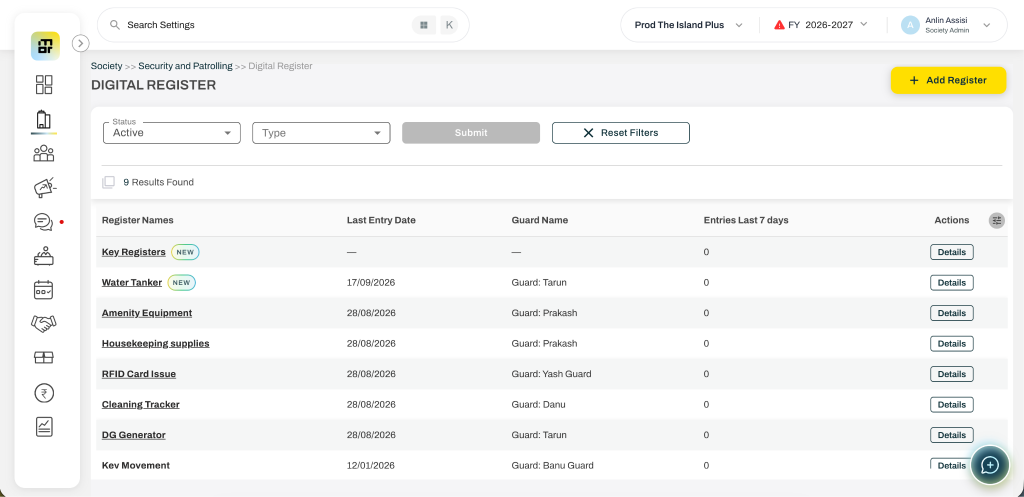
Step 2: Navigate to Digital Registers
Go to Society >> Security and Patrolling >> Digital Register from the left menu. This is where all your society’s gate registers are created and managed.
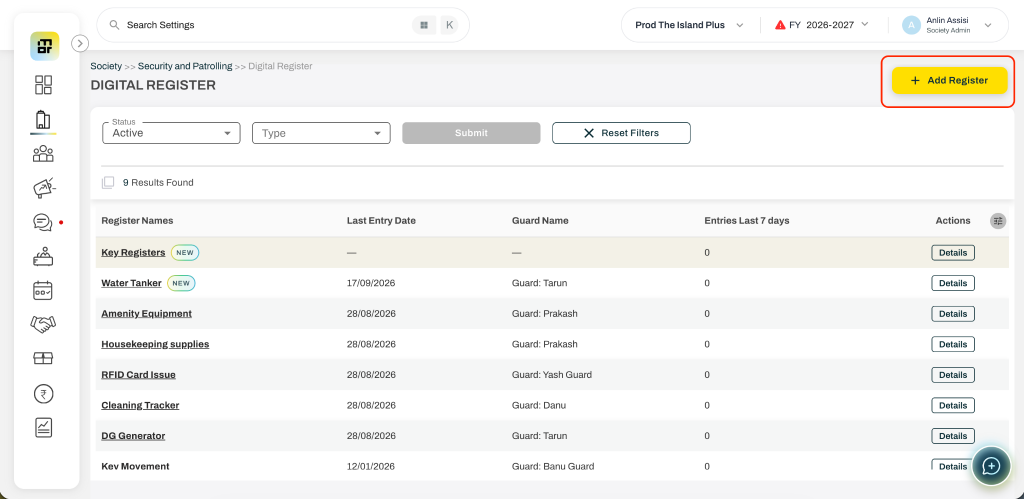
Step 3: Click “Add Register”
Select Add Register and enter a name for your register, such as Key Register, Water Tanker, Material Movement or any other specific register.
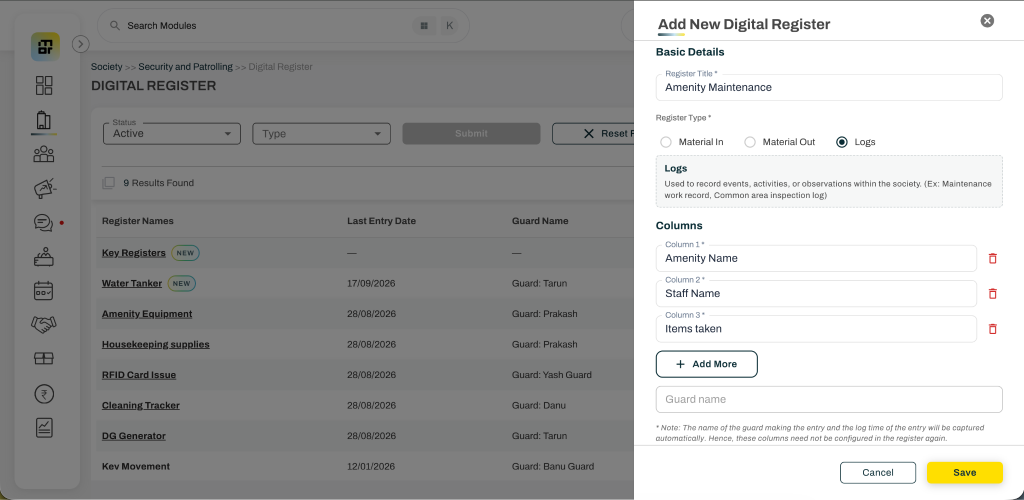
Step 4: Choose the register type and add custom fields
Select the register type –
- Material In – Used for tracking all items and materials entering in
(Ex: Generator Fuel Tanker, Housekeeping supplies, Maintenance equipment delivery) - Material Out – Used for tracking all items and materials leaving/checked out.
(Ex: Amenity/Locker keys issued, Clubhouse equipment lent, Society vehicle dispatched) - Logs – Used to record events, activities, or observations within the society.
(Ex: Maintenance work record, Common area inspection log)
Configure 2 to 8 custom fields based on what your society wants to capture. All the columns added will be mandatory to be filled while entering the records.
Some examples include:
- Key number
- Amenity name
- Staff name
- Purpose of entry
The name of the guard making the entry and the log time of the entry will be captured automatically and visible in the reports. Hence, these columns need not be configured in the register again.
Step 5: Save and start using it
Click Save to create the register. It instantly becomes available in the Guard App, where security guards can begin recording entries digitally. These records will be visible in the admin dashboard and can be filtered based on the dates in real-time.
You may edit the register details and the columns later even if the records have been entered. The admins can also edit the guard entered records once in case of wrong entries made.
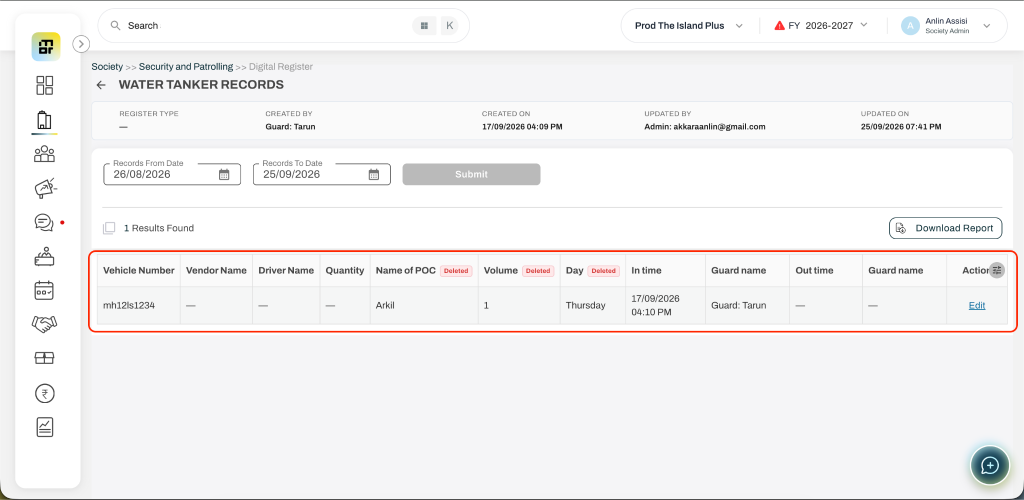
A smarter way to manage gate operations
Digital Registers mark a significant step in modernising operations for gated communities. By moving from paper to digital, societies gain accuracy, accountability, and real-time visibility — while guards benefit from a simpler, guided way to log entries. With admins in control of register creation and customisation, and guards capturing records on the go, this solution scales to the unique needs of any community and lays the foundation for smarter, more automated gate management in the future.
FAQs
What are Digital Registers in Mygate?
Digital Registers allow societies to replace paper-based operational logs with custom digital registers that admins can create and manage from the Mygate Admin Dashboard, while guards record entries through the Guard App.
What types of registers can a society create?
Societies can create registers for activities such as key handovers, water tanker entries, material movement, housekeeping supplies, clubhouse equipment, and other society-specific operational activities.
Can we create a custom Digital Register for our society?
Yes. Admins can create custom registers and choose the fields they want to capture. Each register can have 2 to 8 custom fields.
What types of Digital Registers can admins create?
There are three register types:
- Material In: For tracking items entering the society
- Material Out: For tracking items or materials leaving the society
- Logs: For recording events, activities, or observations within the society
Who can add entries to a Digital Register?
Security guards can record entries directly through the Mygate Guard App once the admin creates and saves the register.
What information is automatically captured in a Digital Register?
The name of the guard making the entry and the time of the entry are captured automatically and are visible in reports, so admins don’t need to create these fields for them.
Can admins view Digital Register entries in real time?
Yes. Records entered by guards are available on the Admin Dashboard and can be filtered by date in real time.
Can admins edit a Digital Register after creating it?
Yes. Admins can edit the register details and its columns even after records have been entered.
Can admins correct a wrong entry made by a guard?
Yes. Admins can edit a guard-entered record once if an incorrect entry has been made.
How does a Digital Register help replace paper registers?
Digital Registers make society records more standardised, searchable and accessible in real time, reducing the challenges associated with incomplete, illegible or difficult-to-track paper records.
Where can admins create Digital Registers in the Mygate Dashboard?
Admins can go to Society → Security and Patrolling → Digital Register from the Mygate Admin Dashboard to create and manage registers.
Are Digital Registers useful for audit and operational tracking?
Yes. Digital Registers provide standardised records, real-time visibility and reports that can help societies maintain more accurate and accountable operational records.