

In an increasingly connected world, convenience should never come at the cost of personal safety. As residential communities adopt digital solutions to streamline everyday activities, safeguarding resident privacy has become more important than ever.
With this in mind, Mygate introduces Safe Pickup Mode – A thoughtfully designed, privacy-first feature that transforms how cab entries are managed at gated communities.
Rethinking Cab Entry: Why This Feature Matters
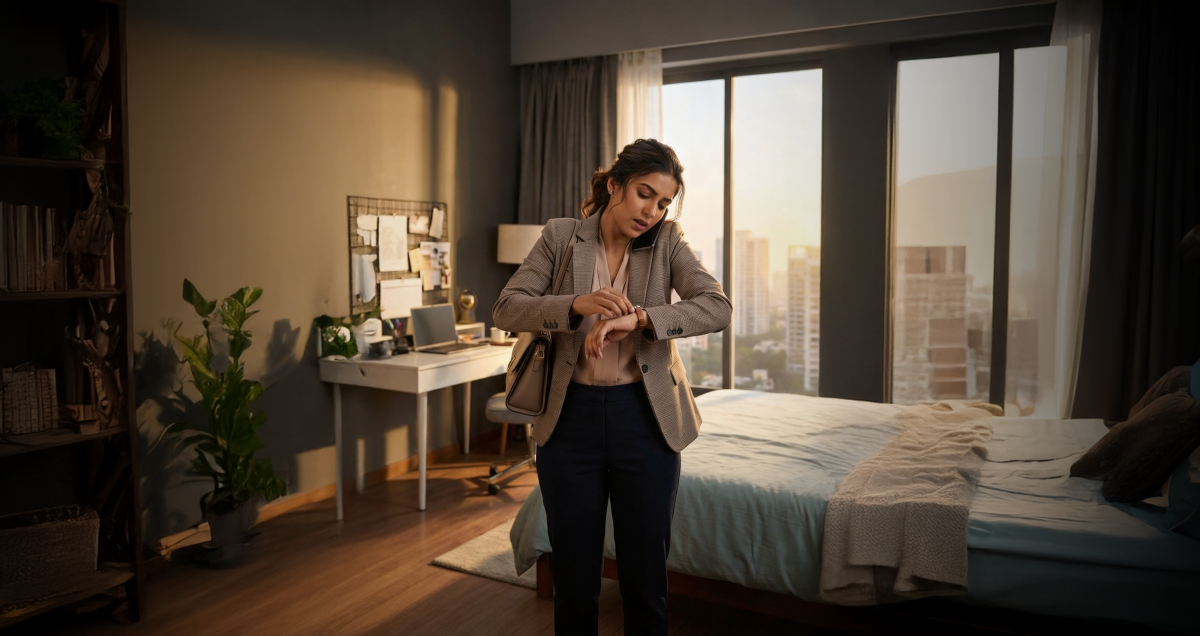
For many residents, booking a cab is a routine part of daily life. Yet, a common friction point persists: drivers often request flat numbers to gain entry at the society gate.
While this practice may seem harmless, it raises valid concerns:
- Sharing flat numbers can compromise personal privacy
- It can be uncomfortable, especially for individuals living alone
- Late-night travel scenarios heighten safety risks
In reality, cab pickups rarely require such granular details. Building or tower-level information is typically sufficient for a smooth pickup experience.
Safe Pickup Mode addresses this gap, eliminating unnecessary information sharing while maintaining operational simplicity.
What is Safe Pickup Mode?
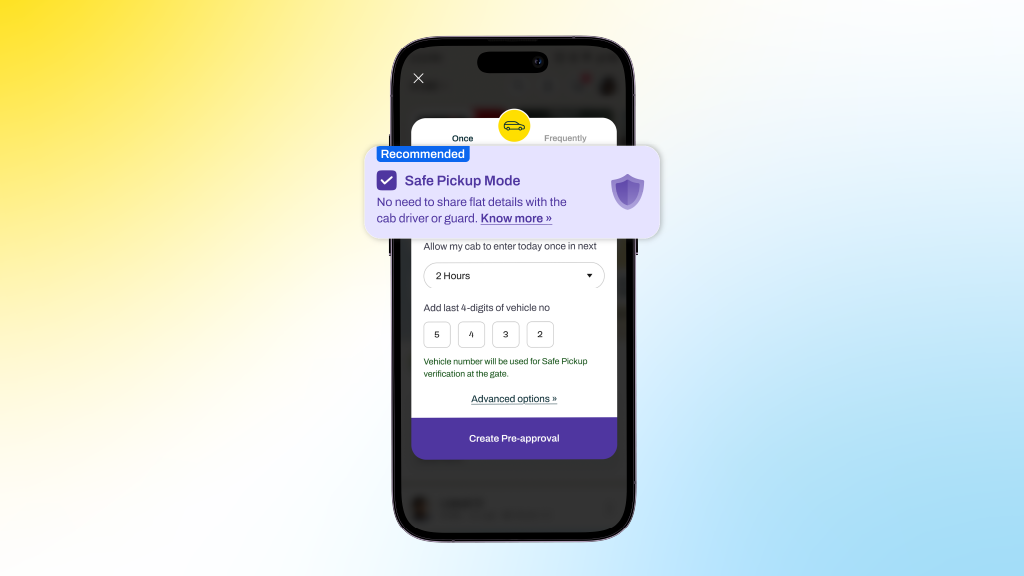
Safe Pickup Mode is a feature within Mygate’s cab pre-approval flow that allows residents to authorize cab entry without revealing their flat number.
Instead, the system uses the vehicle number as the primary identifier for verification at the gate. Guards can validate entry seamlessly, while residents retain control over their personal information.
This approach ensures that privacy is preserved without disrupting the familiar gate entry process.
Key Features at a Glance
1) Private by Design
Residents can hide their flat numbers entirely, ensuring sensitive details are not shared with drivers or displayed unnecessarily.
2) Vehicle-Based Verification
The last four digits of the vehicle number act as the key validation mechanism, leveraging a workflow that is already widely understood and used.
3) Guided User Experience
Clear in-app prompts, confirmations, and a ready-to-share message make it easy for residents to communicate instructions to drivers.
4) Guard-Friendly Interface
Security personnel see only the building or tower name, along with contextual information indicating that the resident has opted for privacy.
How to Use Safe Pickup Mode
Getting started is simple and intuitive:
- Open the Pre-approval section in the Mygate app
- Select Cab → Allow Once
- Enable the Safe Pickup Mode checkbox
- Enter the cab’s vehicle number (mandatory for this mode)
- Share the generated instruction message with your driver
Once completed, your cab will be verified at the gate using the vehicle number, no flat number required.
What Happens at the Gate?
The experience remains smooth and familiar:
- Entry is validated using the vehicle number
- Only the building or tower name is displayed
- Flat numbers are completely hidden
- Contextual cues inform guards that privacy mode is enabled
This ensures that safety protocols remain intact while respecting resident privacy.
Benefits That Matter
1. Enhanced Safety: By limiting the exposure of personal details, residents; especially women, senior citizens, and those living alone can feel more secure.
2. Seamless Experience: There is no disruption to existing workflows. Guards continue using a familiar system, ensuring quick and efficient entry.
3. Greater Control: Residents decide what information is shared, putting privacy firmly in their hands.
A Step Towards Smarter, Safer Communities
Safe Pickup Mode reflects a broader shift in how residential technology should evolve, not just to simplify processes, but to do so responsibly.
By removing the need to share flat-level details, Mygate reinforces an important principle: privacy should be the default, not an afterthought.
Final Thoughts
As urban living continues to grow more dynamic, small design decisions can have a big impact on everyday safety. Safe Pickup Mode is one such step, subtle in execution, but significant in its implications.
It’s not just about getting a cab through the gate.
It’s about ensuring that every resident feels secure while doing so.
Frequently Asked Questions (FAQs)
What is Safe Pickup Mode?
Safe Pickup Mode is a privacy-focused feature that allows residents to pre-approve cab entries using only the vehicle number, without sharing their flat number.
Why should I use Safe Pickup Mode?
It helps protect your privacy by preventing the need to share your flat number with cab drivers, while still ensuring a smooth entry at the gate.
How is the cab verified at the gate?
The guard validates entry using the vehicle number, specifically the last four digits, which act as the key identifier.
Is sharing the vehicle number mandatory?
Yes, entering the vehicle number is required when Safe Pickup Mode is enabled, as it is used for entry verification.
Will this change the process for security guards?
No, the process remains largely the same. Guards continue to verify entries using familiar workflows, now with vehicle number-based validation.
Will the process of sharing my flat number still be available in case I couldn’t provide the vehicle number?
Yes, the existing process remains unchanged. If you’re unable to provide the cab’s vehicle number, you can continue with the regular flow by sharing your flat number for entry verification.
How do I enable Safe Pickup Mode?
While creating a cab pre-approval, simply select the Safe Pickup Mode option and enter the vehicle number.
Is this feature available in all societies?
The feature is controlled by your society admin. It will be available in the app only if your society has enabled it.
Does Safe Pickup Mode affect entry time at the gate?
No, entry remains quick and seamless, as guards use a familiar verification process based on vehicle numbers.